Built for exams
A record of what AI drafted and what you sent. One export when the examiner asks.
Using AI for client communication raises a fair question: what did it write, and what went out? AdvisorOS keeps an append-only, hash-chained log of both, so you and your CCO can answer it.
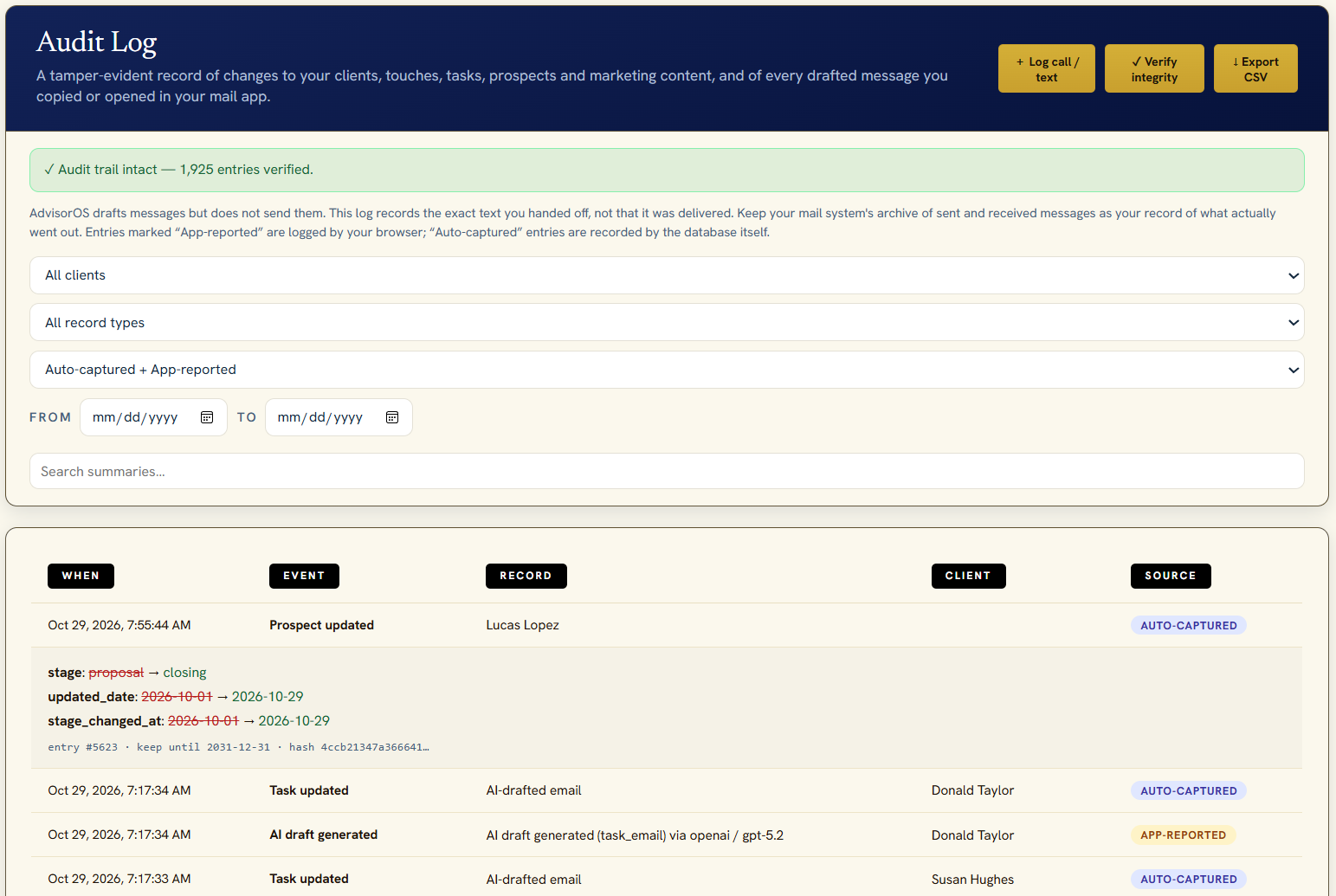
Sample data.
Tamper-evident
Each entry carries a SHA-256 hash of the one before it. Edit or delete an entry and the integrity check breaks. Entries can't be updated or deleted from the app.
AI provenance
Which feature and model produced each draft, when, and whether you edited it before it left. Prompts can hold client notes, so they're hashed rather than stored.
The final text you sent
When you copy a draft or open it in your mail app, AdvisorOS logs the exact text, its hash and the recipient.
Survives deletions
Delete a client and their log entries stay until the retention period ends.
Export for your CCO
Filter by client, date or event and export to CSV with hashes, ready to hand over.
Security events too
Sign-ins, imports, exports and settings changes are logged. Setting values, like your AI key, never are.
What AdvisorOS doesn't do
AdvisorOS doesn't make your firm compliant, and it isn't legal advice. It drafts but doesn't send email, so it records what you handed off, not delivery. Your books and records obligations stay with you and your CCO.